 Development Environment
 Linux Software and Hardware Version Check Commands: Kernel/GPU/Driver Quick Reference (2026)
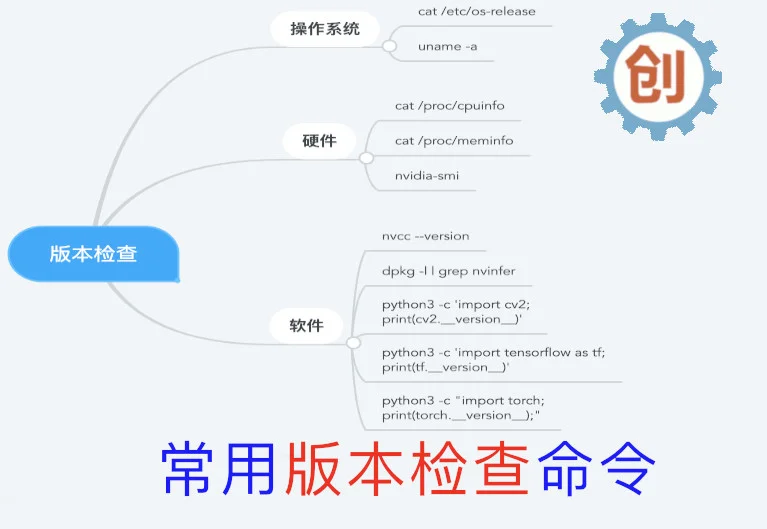
If you frequently use open-source software, you’ve surely encountered various environment compatibility issues. Before you start developing or directly use someone else’s library, checking the current version of your system and software is quite necessary. This article summarizes various version check commands in the Linux environment. It’s recommended to bookmark or memorize them.
Common Linux System Version Check Commands
Check Linux Distribution
Below is the result of checking the system version on a Jetson Nano. It also applies to Raspberry Pi, CentOS, Red Hat, Fedora, and other distributions.
cat /etc/os-release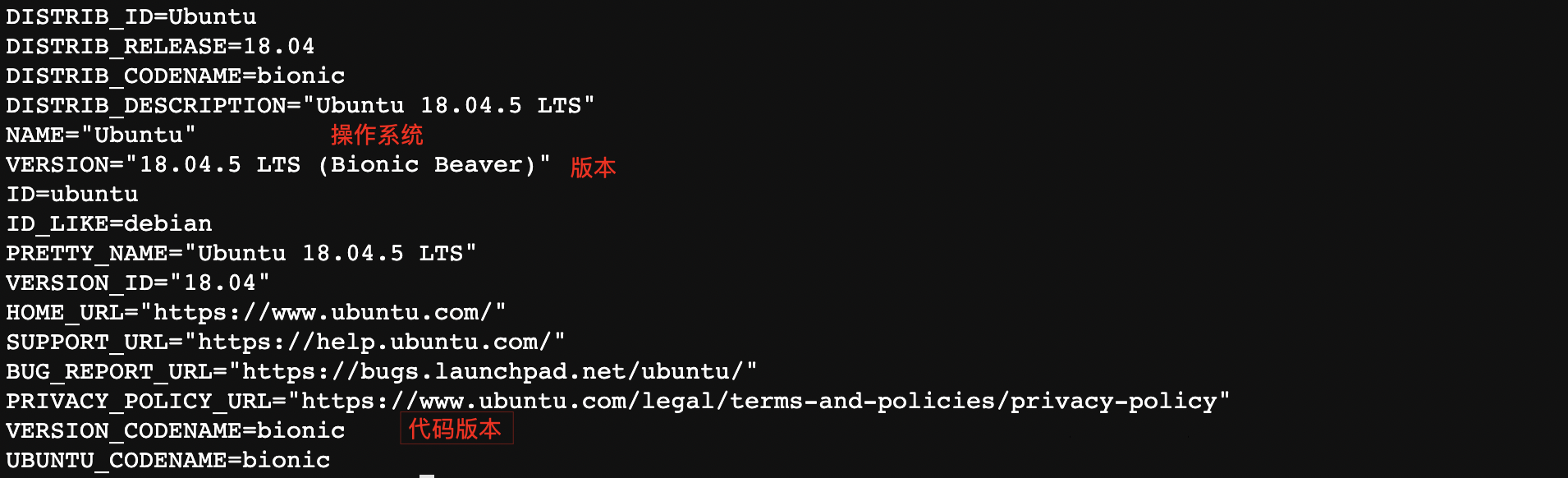
Check Kernel Version
Method 1: Query hostname, kernel version, and CPU type
uname -a
Method 2: View the contents of /proc/version file. Besides the kernel version, you can also check the GCC version.
cat /proc/version
Check Debian Version
# cat /etc/debian_version
buster/sid
Check CPU Count and Frequency
Below is the CPU information for Jetson Nano 4-core (only showing the first CPU)
# cat /proc/cpuinfo
processor       : 0
model name      : ARMv8 Processor rev 1 (v8l)
BogoMIPS        : 38.40
Features        : fp asimd evtstrm aes pmull sha1 sha2 crc32
CPU implementer : 0x41
CPU architecture: 8
CPU variant     : 0x1
CPU part        : 0xd07
CPU revision    : 1
...
Below is the CPU information for a 64-core CPU (only showing the first CPU)
# cat /proc/cpuinfo
processor       : 0
vendor_id       : GenuineIntel
cpu family      : 6
model           : 79
model name      : Intel(R) Xeon(R) CPU E5-2680 v4 @ 2.40GHz
stepping        : 1
microcode       : 0xb00001e
cpu MHz         : 1200.146
cache size      : 35840 KB
physical id     : 0
siblings        : 28
core id         : 0
cpu cores       : 14
apicid          : 0
initial apicid  : 0
fpu             : yes
fpu_exception   : yes
cpuid level     : 20
wp              : yes
flags           : fpu vme de pse tsc msr pae mce cx8 apic sep mtrr pge mca cmov pat pse36 clflush dts acpi mmx fxsr sse sse2 ss ht tm pbe syscall nx pdpe1gb rdtscp lm constant_tsc arch_perfmon pebs bts rep_good nopl xtopology nonstop_tsc aperfmperf eagerfpu pni pclmulqdq dtes64 monitor ds_cpl vmx smx est tm2 ssse3 sdbg fma cx16 xtpr pdcm pcid dca sse4_1 sse4_2 x2apic movbe popcnt aes xsave avx f16c rdrand lahf_lm abm 3dnowprefetch epb cat_l3 cdp_l3 invpcid_single intel_ppin intel_pt tpr_shadow vnmi flexpriority ept vpid fsgsbase tsc_adjust bmi1 hle avx2 smep bmi2 erms invpcid rtm cqm rdt_a rdseed adx smap xsaveopt cqm_llc cqm_occup_llc cqm_mbm_total cqm_mbm_local dtherm ida arat pln pts
bogomips        : 4788.74
clflush size    : 64
cache_alignment : 64
address sizes   : 46 bits physical, 48 bits virtual
power management:
...
Check Memory Details
Below is the memory information for Jetson Nano 4G version
# cat /proc/meminfo
MemTotal:        4059468 kB
MemFree:          425136 kB
MemAvailable:    2698648 kB
Buffers:           50460 kB
Cached:          2317192 kB
SwapCached:          468 kB
Active:          1192948 kB
Inactive:        1899184 kB
Active(anon):     335376 kB
Inactive(anon):   421748 kB
Active(file):     857572 kB
Inactive(file):  1477436 kB
Unevictable:       12028 kB
Mlocked:               0 kB
SwapTotal:       8253756 kB
SwapFree:        7885420 kB
...
Below is the memory information for a 64G server
# cat /proc/meminfo
MemTotal:       65679364 kB
MemFree:         1500856 kB
MemAvailable:   26445960 kB
Buffers:            3692 kB
Cached:         26300444 kB
...
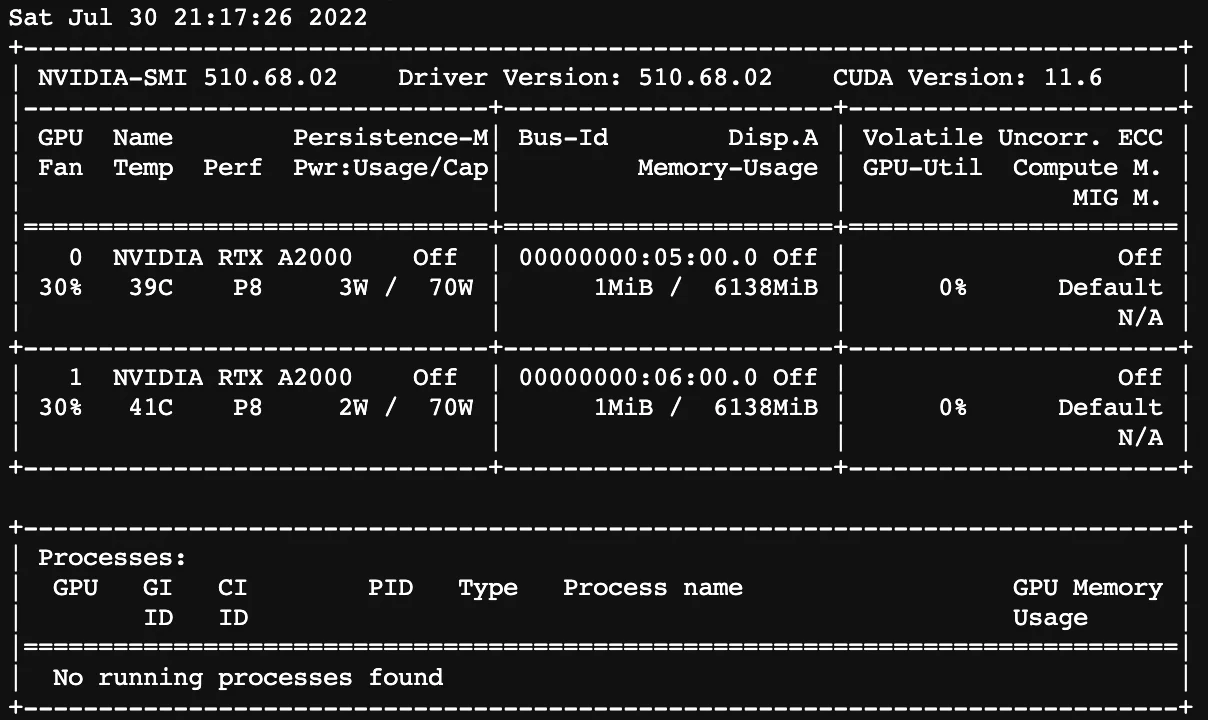
Check GPU Information
# nvidia-smi
+-----------------------------------------------------------------------------+
Common Software Version Check Commands (AI Related)
Check CUDA Version
# nvcc --version
nvcc: NVIDIA (R) Cuda compiler driver
Copyright (c) 2005-2019 NVIDIA Corporation
Built on Mon_Mar_11_22:13:24_CDT_2019
Cuda compilation tools, release 10.0, V10.0.326
Check OpenCV Version
# python3 -c 'import cv2; print(cv2.__version__)'
4.5.5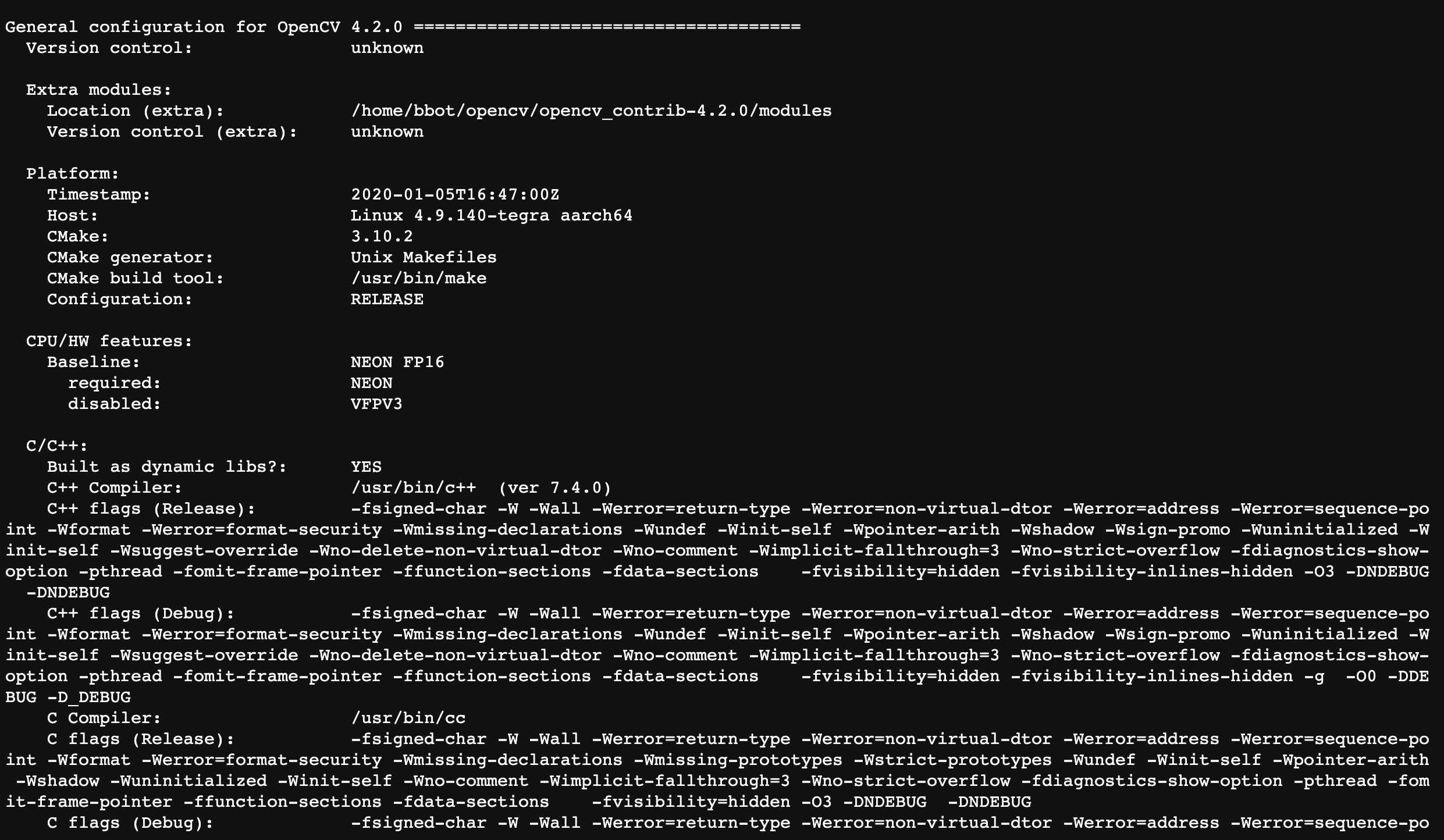
Check OpenCV Installation Configuration
python3 -c "import cv2; print(cv2.getBuildInformation())"Check TensorFlow Version
# python3 -c 'import tensorflow as tf; print(tf.__version__)'
2022-07-30 12:54:59.519604: I tensorflow/stream_executor/platform/default/dso_loader.cc:49] Successfully opened dynamic library libcudart.so.10.2
WARNING:tensorflow:Deprecation warnings have been disabled. Set TF_ENABLE_DEPRECATION_WARNINGS=1 to re-enable them.
1.15.5
Check TensorRT Version
The following example shows TensorRT version 6.0.1
# dpkg -l | grep nvinfer
ii  libnvinfer-bin           6.0.1-1+cuda10.0  arm64             TensorRT binaries
ii  libnvinfer-dev           6.0.1-1+cuda10.0  arm64             TensorRT development libraries and headers
ii  libnvinfer-doc           6.0.1-1+cuda10.0  all               TensorRT documentation
ii  libnvinfer-plugin-dev    6.0.1-1+cuda10.0  arm64             TensorRT plugin libraries
ii  libnvinfer-plugin6       6.0.1-1+cuda10.0  arm64             TensorRT plugin libraries
ii  libnvinfer-samples       6.0.1-1+cuda10.0  all               TensorRT samples
ii  libnvinfer6              6.0.1-1+cuda10.0  arm64             TensorRT runtime libraries
ii  python-libnvinfer        6.0.1-1+cuda10.0  arm64             Python bindings for TensorRT
ii  python-libnvinfer-dev    6.0.1-1+cuda10.0  arm64             Python development package for TensorRT
ii  python3-libnvinfer       6.0.1-1+cuda10.0  arm64             Python 3 bindings for TensorRT
ii  python3-libnvinfer-dev   6.0.1-1+cuda10.0  arm64             Python 3 development package for TensorRT
Check PyTorch Version
To check the version of a Python environment, you typically import the corresponding package first, then print the version information.
# python3 -c "import torch; print(torch.__version__);"
1.9.0
Check JetPack Version (Applicable to Jetson Series Development Boards)
cat /etc/nv_tegra_release
# R32 (release), REVISION: 6.1, GCID: 27863751, BOARD: t210ref, EABI: aarch64, DATE: Mon Jul 26 19:20:30 UTC 2021