 Single Board Computer
 M4 Mac mini: Rational Review and Independent Thinking
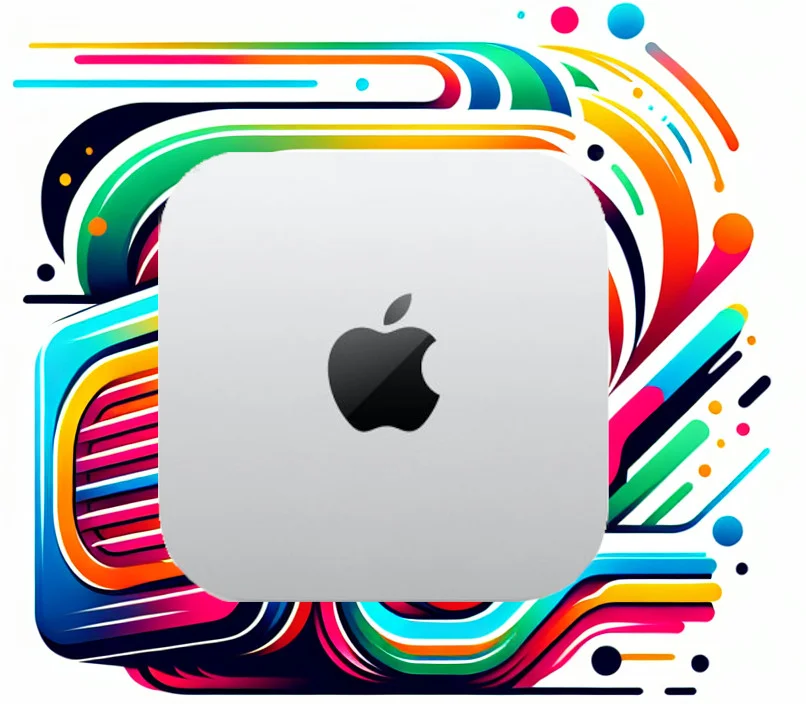
Apple’s latest Mac Mini M4 series has once again attracted the attention of many users with its compact design and powerful performance. The Mac Mini M4 offers two choices: the standard M4 chip and the more powerful M4 Pro chip, designed to meet the needs of different users. This article will explore in depth the performance, features, ports, pricing, and pros and cons of the Mac Mini M4, and provide you with purchase advice.
1. Mac Mini M4 Performance, Features and Ports
The Mac Mini M4 uses Apple’s latest M4 chip, which has a 10-core CPU (including 4 performance cores and 6 efficiency cores) and a 10-core GPU. The M4 chip is also equipped with a 16-core Neural Engine for accelerating machine learning tasks. The standard M4 chip supports up to 24GB of unified memory and 120GB/s memory bandwidth.
The main features of the Mac Mini M4 include:
-
Powerful processing capability: The M4 chip has significant improvements in both CPU and GPU performance, capable of smoothly running daily applications and handling lightweight professional tasks.
-
Efficient energy consumption: Apple’s chip architecture maintains excellent energy efficiency while delivering outstanding performance.
-
Excellent graphics processing: The 10-core GPU can meet daily graphics processing needs and supports hardware-accelerated video encoding and decoding.
-
Compact design: The Mac Mini M4 has a very small size and light weight, making it convenient for users to use in different workspaces.
In terms of ports, the Mac Mini M4 is equipped with:
-
2 Thunderbolt 4 ports.
-
2 USB-A ports.
-
1 HDMI 2.1 port.
-
1 Gigabit Ethernet port (upgradeable to 10Gb Ethernet).
-
3.5mm headphone jack.
Additionally, the Mac Mini M4 supports Wi-Fi 6E and Bluetooth 5.3.
2. Comparison of Mac Mini M4 and M4 Pro
The main differences between the Mac Mini M4 and M4 Pro lie in chip performance and configuration:
| Feature | M4 | M4 Pro |
|---|---|---|
| CPU Cores | 10 cores (4 performance, 6 efficiency) | 14 cores (6 performance, 8 efficiency) |
| GPU Cores | 10 cores | 20 cores |
| Memory Bandwidth | 120 GB/s | 273 GB/s |
| Maximum Memory | 24 GB | 64 GB |
| Thunderbolt 4 Ports | 2 | 4 |
| HDMI Port | HDMI 2.0 | HDMI 2.1 |
| Price | Lower | Higher |
The M4 Pro chip has more CPU and GPU cores, as well as higher memory bandwidth, so when handling intensive tasks such as video editing, 3D rendering, and software development, performance is significantly better than the M4. The M4 Pro also provides more Thunderbolt 4 ports and supports higher resolution HDMI 2.1 ports.
3. Discussion on Pricing
The price of the Mac Mini M4 varies by configuration. The base M4 Mac mini starts at $599. The M4 Pro version is more expensive, depending on configuration.
According to sources, in mainland China, some people have purchased the Mac mini M4 for around 3,300 yuan, while the price through the official website education discount is 3,749 yuan, but the source also points out that even buying a 3,000+ yuan Mac mini host, the price of other accessories is not cheap.
Additionally, it is mentioned that at some retailers, the Mac mini M4 is sometimes sold at a lower price, such as $500. Education stores may also offer discounts. Buying refurbished units is also a way to save money.
4. Pros and Cons of M4
Advantages of M4:
-
High cost-performance ratio: The base M4 Mac mini provides excellent performance at a lower price, suitable for daily use and lightweight professional work.
-
High energy efficiency: The M4 chip maintains excellent energy efficiency while delivering high performance.
-
Sufficient memory: The M4 base version comes with 16GB of memory, which is sufficient for general video editing tasks.
-
Compact and portable: The Mac Mini M4 is small in size, easy to carry and place.
Disadvantages of M4:
-
Limited storage space: The base M4 only comes with a 256GB solid-state drive, which may not be enough for those who need to handle large files.
-
Limited expandability: The Mac Mini M4 has a limited number of ports, which may require an additional docking station.
-
Heat dissipation: Under high load, prolonged use may generate heat.
-
Power button position: The power button is located at the bottom, which may be inconvenient for some users.
-
Lacks USB-A ports
5. Purchase Recommendations
When choosing a Mac Mini M4, consider the following:
-
Budget: If your budget is limited, the base M4 Mac mini is sufficient for daily needs.
-
Use case:
If you need to perform intensive tasks such as video editing, 3D rendering, or software development, the M4 Pro version is a better choice.
- If you only do daily office work, web browsing, and lightweight entertainment, the standard M4 is sufficient.
Accessories: The Mac Mini M4 does not include a keyboard, mouse, and monitor, you need to purchase these accessories separately. Storage space: If you need to store a large number of files, consider purchasing an external SSD or choosing a larger capacity internal storage. Purchase channels: It is recommended to pay attention to promotions on the official website, education stores, and authorized retailers to get better prices. Monitors: If your budget is limited, consider 4K monitors around 1,000 yuan, such as HKC P272U, AOC U27N3R, Innovision 27D1U, Future Vision RV100mini, and Redmi A27U.
Conclusion
The Mac Mini M4 series is an important member of the Apple ecosystem, attracting the attention of many users with its small size and powerful performance. Whether you choose the standard M4 or the more powerful M4 Pro, you need to make a decision based on your budget and usage needs. I hope this article can provide you with valuable reference and help you find the Mac Mini M4 that best suits you.