 3D Printing
 Marlin Firmware Configuration Guide: Boot Screen/Motor/Sensor Setup
Previously, we introduced “ESP32 Troubleshooting Practical Guide”, but Marlin has many configuration options, and beginners often don’t know where to start. This article covers common Marlin configurations, including boot screen, thermal runaway protection, motor configuration, and more.
All configurations in this article are located in Configuration.h under the Marlin directory. Configuration_adv.h settings will be explained in future articles.
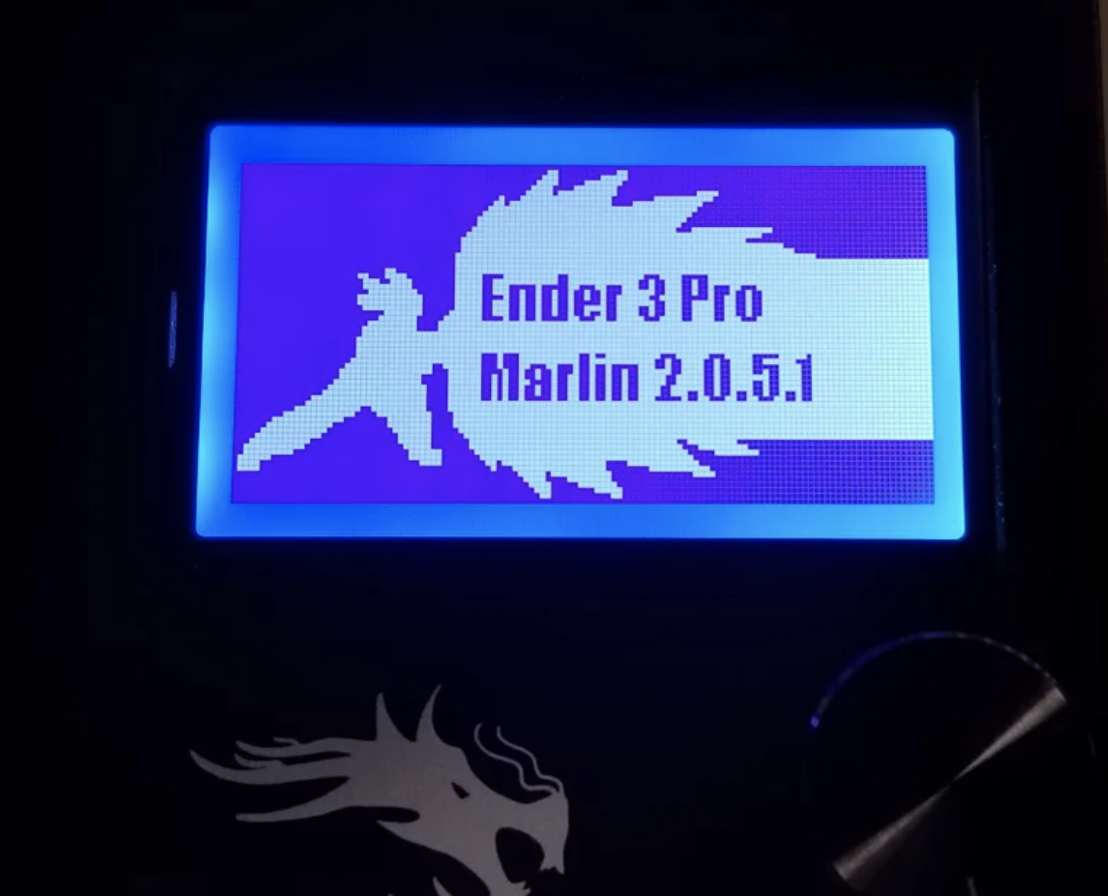
Custom Boot Screen
-
Use the online tool Marlin Custom Bootscreen to convert your custom image to Marlin format
-
In Marlin firmware source code, find the
CUSTOM_BOOTSCREEN_BMPrelated macro definitions inConfiguration.hand enable the custom boot screen feature -
Copy the converted BMP data to the corresponding array definition in
Configuration_adv.h, then recompile and flash the firmware
Thermal Runaway Protection (Most Important Configuration!!!)
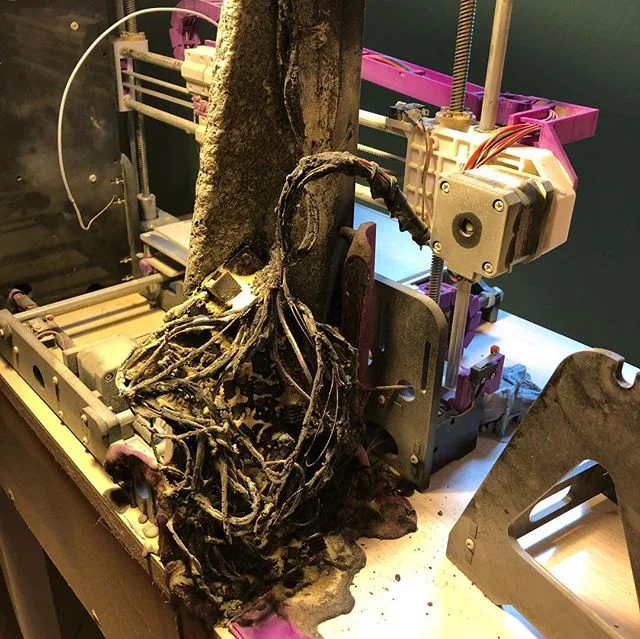
#define THERMAL_PROTECTION_HOTENDS // Enable thermal protection for all extruders
#define THERMAL_PROTECTION_BED     // Enable thermal protection for the heated bed
#define THERMAL_PROTECTION_CHAMBER // Enable thermal protection for the heated chamber
Number of Extruders
#define EXTRUDERS 0Filament Diameter Sensor
If you have a filament diameter sensor, you can control flow rate based on diameter
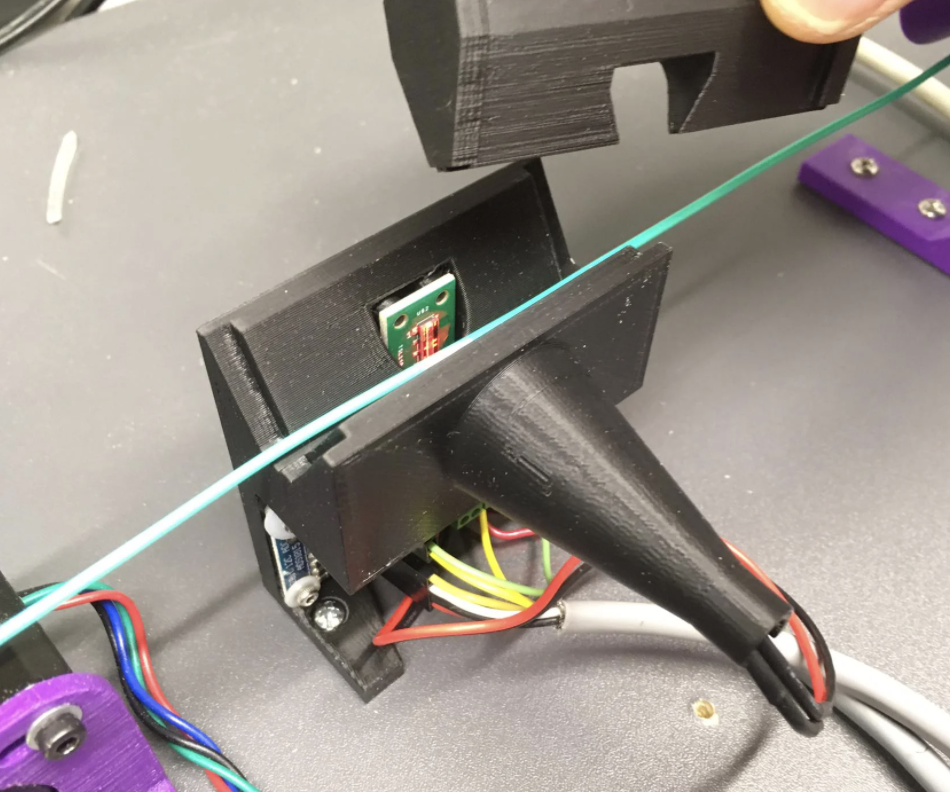
#define DEFAULT_NOMINAL_FILAMENT_DIA 1.75MK2 Multiplexer
You can use one motor driver to drive 2-8 stepper motors simultaneously. Don’t enable this unless you have a Prusa MK2 multiplexer.
#define MK2_MULTIPLEXERSwitching Extruder
 This is for the Prusa Multi-Material Unit v2 feature, requiring 5 extruders and NOZZLE_PARK_FEATURE enabled
#define SWITCHING_EXTRUDERSwitching Nozzle
Dual extruders can use a servo to raise one or both nozzles.
#define SWITCHING_NOZZLEParking Extruder
Use an electromagnet to engage another print head for printing
//#define PARKING_EXTRUDER
Use a magnet to engage another print head for printing
Project link: https://www.thingiverse.com/thing:3080893
Video 1: https://youtu.be/0xCEiG9VS3k
Video 2: https://youtu.be/Bqbcs0CU2FE
#define PARKING_EXTRUDERSwitching Toolhead
Lock toolhead with a servo
#define SWITCHING_TOOLHEADLock toolhead with a magnet
#define MAGNETIC_SWITCHING_TOOLHEADLock toolhead with an electromagnet, video: https://youtu.be/JolbsAKTKf4
#define ELECTROMAGNETIC_SWITCHING_TOOLHEADMixing Extruder
#define MIXING_EXTRUDERHotend Offset
Switch between hotends via firmware, set hotend offsets
#define HOTEND_OFFSET_X { 0.0, 20.00 } // (mm) relative X-offset for each nozzle
#define HOTEND_OFFSET_Y { 0.0, 5.00 }  // (mm) relative Y-offset for each nozzle
#define HOTEND_OFFSET_Z { 0.0, 0.00 }  // (mm) relative Z-offset for each nozzle
Power Supply
#define PSU_CONTROL
#define PSU_NAME "Power Supply"
PID Bed Control
#define PIDTEMPBEDEndstop Settings
#define USE_XMIN_PLUG
#define USE_YMIN_PLUG
#define USE_ZMIN_PLUG
//#define USE_XMAX_PLUG
//#define USE_YMAX_PLUG
//#define USE_ZMAX_PLUG
Endstop Inversion
#define X_MIN_ENDSTOP_INVERTING false // Set to true to invert the logic of the endstop.
#define Y_MIN_ENDSTOP_INVERTING false // Set to true to invert the logic of the endstop.
#define Z_MIN_ENDSTOP_INVERTING false // Set to true to invert the logic of the endstop.
#define X_MAX_ENDSTOP_INVERTING false // Set to true to invert the logic of the endstop.
#define Y_MAX_ENDSTOP_INVERTING false // Set to true to invert the logic of the endstop.
#define Z_MAX_ENDSTOP_INVERTING false // Set to true to invert the logic of the endstop.
#define Z_MIN_PROBE_ENDSTOP_INVERTING false // Set to true to invert the logic of the probe.
Motor Configuration
Defaults to A4988, only change if not using A4988
//#define X_DRIVER_TYPE  A4988
//#define Y_DRIVER_TYPE  A4988
//#define Z_DRIVER_TYPE  A4988
//#define X2_DRIVER_TYPE A4988
//#define Y2_DRIVER_TYPE A4988
//#define Z2_DRIVER_TYPE A4988
//#define Z3_DRIVER_TYPE A4988
//#define Z4_DRIVER_TYPE A4988
//#define E0_DRIVER_TYPE A4988
//#define E1_DRIVER_TYPE A4988
//#define E2_DRIVER_TYPE A4988
//#define E3_DRIVER_TYPE A4988
//#define E4_DRIVER_TYPE A4988
//#define E5_DRIVER_TYPE A4988
//#define E6_DRIVER_TYPE A4988
//#define E7_DRIVER_TYPE A4988
Endstop Interrupts
Any endstop trigger will interrupt printing. Enabling this will consume more CPU
#define ENDSTOP_INTERRUPTS_FEATURE