 IoT
IoT ESP32-C6 in Practice: Building a Smart Home Node with WiFi 6 + Matter Dual Protocol
Why the ESP32-C6?
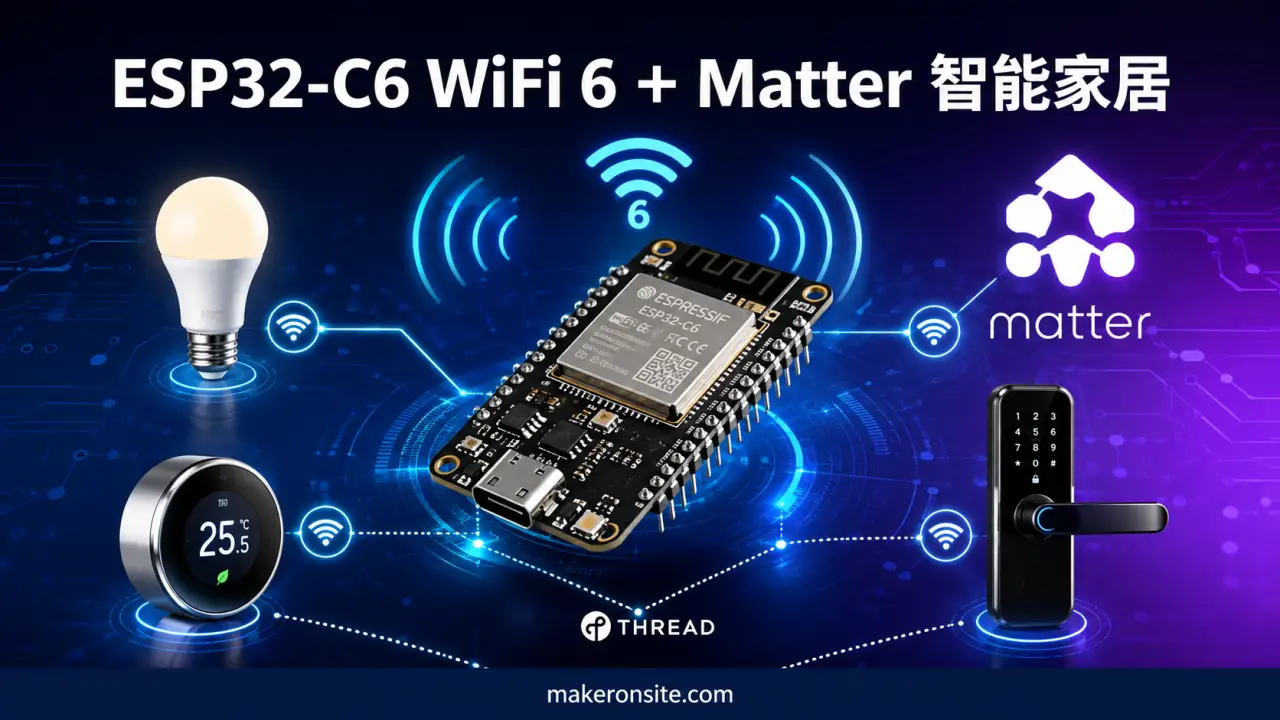
The ESP32-C6 is Espressif’s next-generation SoC launched in 2023. Its standout feature is native support for both WiFi 6 (802.11ax) and IEEE 802.15.4 (Thread/Zigbee) dual wireless protocols. This means a single chip can handle high-speed WiFi connectivity and low-power Mesh networking simultaneously — a perfect fit for Matter’s multi-transport requirements.
Compared to older ESP32 variants, the C6’s advantages are clear:
-
WiFi 6 OFDMA: Lower latency in device-dense home networks — no more stuttering like with legacy WiFi
-
Target Wake Time (TWT): Battery-powered devices can sleep for years, ideal for low-power nodes like door sensors and environmental sensors
-
Built-in Thread radio: Run Matter over Thread directly, no external co-processor needed
-
Hardware-grade security: RSA-3072 secure boot, AES-256 flash encryption — meets Matter certification requirements
If you’re building smart home products or want to connect your DIY devices to Apple HomeKit / Google Home / Amazon Alexa, the ESP32-C6 is one of the best value-for-money options available today.
Bill of Materials
| Component | Model/Spec | Notes |
|---|---|---|
| Dev board | ESP32-C6-DevKitC-1 | Official dev board with USB-C |
| Relay module | 5V single-channel relay | For controlling lights/outlets |
| DHT22 | Temperature & humidity sensor | I2C or one-wire both work |
| Breadboard + jumper wires | A few | For prototyping |
| USB-C data cable | Must support data transfer | For flashing firmware |
Total cost is under 100 RMB — cheaper than buying a ready-made Matter smart plug.
Environment Setup
Installing ESP-IDF
The ESP32-C6 requires ESP-IDF v5.1 or later. We recommend using the official install script:
# Clone ESP-IDF
git clone --recursive https://github.com/espressif/esp-idf.git ~/esp/esp-idf
cd ~/esp/esp-idf

# Install dependencies
./install.sh esp32c6

# Set up environment variables
. ./export.sh
Installing the ESP-Matter SDK
The Matter protocol stack is built on top of ESP-IDF and needs to be cloned separately:
cd ~
git clone https://github.com/espressif/esp-matter.git
cd esp-matter

# Initialize toolchain
./install.sh

# Activate environment
source export.sh
Verify the toolchain is working:
idf.py --version
# Should output ESP-IDF v5.x.x
Your First Matter Device: A Smart Switch
Let’s start with the simplest possible device — an on/off switch. ESP-Matter already provides example code, so just compile and go:
cd ~/esp-matter/examples/light

# Set target chip to ESP32-C6
idf.py set-target esp32c6

# Build firmware
idf.py build
Once the build completes, flash it to the dev board:
idf.py -p /dev/ttyUSB0 flash monitorCommissioning Process
-
Open the Apple Home app (or Google Home app) on your phone and tap “Add Accessory”
-
Scan the Matter QR code on the device packaging, or manually enter the pairing code (default:
20202021) -
Your phone discovers the device via Bluetooth — the ESP32-C6 starts BLE advertising and waits for commissioning commands
-
Enter your home WiFi password; the device automatically connects to the router and obtains an IP address
-
Commissioning succeeds — the device appears in the Home app and is ready to control
-
Use the Home app to set the device name and room location, and create automation scenes
The entire process requires zero lines of code — ESP-Matter handles all the protocol details for you.
Custom Device: Temperature & Humidity Sensor
In a real project, you’ll need to read sensor data and report it upstream. Below, we use the DHT22 as an example to show how to create a custom Matter endpoint.
Hardware Wiring
ESP32-C6        DHT22
GPIO4   ------  DATA
3.3V    ------  VCC
GND     ------  GND
The DATA pin needs a 10kΩ pull-up resistor to 3.3V.
Code Implementation
Starting from examples/light/main/app_main.c, add sensor reading logic:
#include "dht.h"
#include "esp_matter.h"
#include "esp_matter_core.h"

#define DHT_GPIO GPIO_NUM_4
#define DHT_TYPE DHT22

static dht_sensor_t dht_sensor;

// Read temperature & humidity and update Matter attributes
static void update_sensor_data(void)
{
    float temperature = 0, humidity = 0;

    if (dht_read_float_data(DHT_TYPE, DHT_GPIO, &humidity, &temperature) == DHT_OK) {
        // Update Temperature Measurement cluster
        esp_matter_attr_val_t temp_val = esp_matter_int16(temperature * 100); // Unit: 0.01°C
        esp_matter_attr_update(TEMPERATURE_MEASUREMENT_CLUSTER_ID,
                              CURRENT_TEMPERATURE_ATTRIBUTE_ID,
                              &temp_val);

        // Update Relative Humidity Measurement cluster
        esp_matter_attr_val_t hum_val = esp_matter_uint16(humidity * 100); // Unit: 0.01%
        esp_matter_attr_update(RELATIVE_HUMIDITY_MEASUREMENT_CLUSTER_ID,
                              CURRENT_MEASURED_VALUE_ATTRIBUTE_ID,
                              &hum_val);
    }
}

void app_main(void)
{
    // Initialize Matter
    esp_matter_init();

    // Initialize DHT sensor
    dht_init(&dht_sensor, DHT_TYPE, DHT_GPIO);

    // Read sensor every 10 seconds
    while (1) {
        update_sensor_data();
        vTaskDelay(pdMS_TO_TICKS(10000));
    }
}
Build and Flash
idf.py set-target esp32c6
idf.py build
idf.py -p /dev/ttyUSB0 flash monitor
In the Home app, this device will appear as a “Temperature & Humidity Sensor” with data automatically synced to iCloud — you can view historical charts from any Apple device.
Troubleshooting
1. Commissioning fails — phone can’t find the device
Cause: BLE advertising is not enabled or the pairing code is incorrect.
Solution:
-
Check the serial log and confirm you see
BLE advertising started -
Make sure Bluetooth is enabled on your phone and the app has Bluetooth permissions
-
The default pairing code is
20202021; you can change it inapp_main.cviaesp_matter_set_passcode()
2. Frequent disconnections after WiFi connects
Cause: WiFi 6 TWT mechanism has compatibility issues with the router.
Solution:
-
Disable TWT in
menuconfig:Component config → Wi-Fi → Enable Target Wake Time -
Or upgrade the router firmware to ensure 802.11ax support
3. Slow Matter command response
Cause: Task priority is too low or the queue is blocked.
Solution:
-
Increase the Matter task priority:
esp_matter_set_task_priority(5) -
Check for long-running blocking operations and switch to asynchronous processing with FreeRTOS queues
4. Build error: undefined reference to 'esp_matter_*'
Cause: ESP-Matter SDK is not installed correctly or environment variables haven’t taken effect.
Solution:
cd ~/esp-matter
source export.sh
idf.py reconfigure
idf.py build
Going Further: Thread Border Router
If you want your devices to communicate over Thread instead of WiFi, you’ll need to set up a Thread Border Router. The simplest approach is to use another ESP32-C6 or a Raspberry Pi:
# Run on the border router device
cd ~/esp-matter/examples/thread_border_router
idf.py set-target esp32c6
idf.py build flash monitor
The Border Router bridges the Thread network to WiFi, allowing phones that don’t support Thread to still control your devices. Apple HomePod mini and Google Nest Hub both have built-in Border Router functionality — no extra setup needed.
Summary
The ESP32-C6 + Matter combination makes smart home development easier than ever:
-
One codebase, multi-platform compatible: The same firmware can connect to Apple HomeKit, Google Home, and Amazon Alexa simultaneously
-
WiFi 6 low latency: OFDMA ensures smooth performance even with many concurrent devices
-
Hardware-grade security: Meets Matter certification security requirements without needing an extra encryption chip
-
Low cost: Single-chip solution with BOM cost under $3
Next steps you might try:
-
Add OTA (over-the-air) firmware updates
-
Integrate voice control (ESP32-S3 + offline speech recognition)
-
Build a Matter Bridge to bring non-Matter devices (like IR-controlled ACs) into the ecosystem
Feel free to ask questions in the comments — I’ll keep sharing hands-on ESP32-C6 tips and tricks.